
Service Book entries are the official career records of a government employee. Sometimes employees notice that important entries are missing or incorrect in the eHRMS system, such as joining date, promotion details, pay fixation, or increments. These issues usually occur due to record update delays or data mismatches, not system errors.
This page explains why Service Book entries go missing or appear incorrect, what checks employees should perform, and how corrections are officially made.
What Are Service Book Entries in eHRMS?
Service Book entries include verified records such as:
- Date of appointment and joining
- Posting and transfer history
- Promotions and designations
- Pay scale, increments, and fixation
- Leave records linked to service tenure
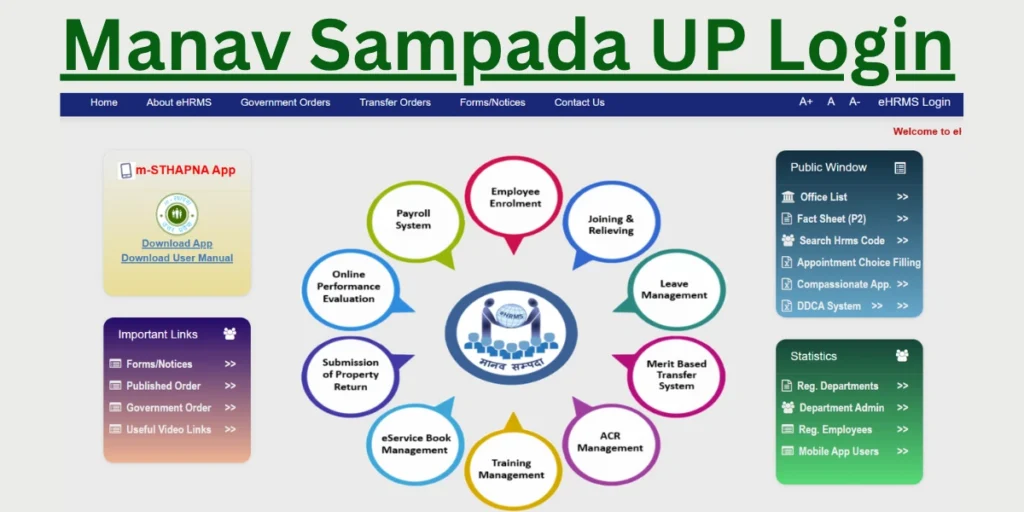
These entries are maintained digitally under Manav Sampada UP and are used for promotion, pension, and seniority decisions.
Common Types of Service Book Errors
| Issue | Description |
|---|---|
| Missing joining date | Initial appointment not reflected |
| Promotion not updated | Latest designation not shown |
| Incorrect pay level | Old pay scale still visible |
| Increment missing | Annual increment not recorded |
| Transfer history incomplete | Posting entries missing |
Such issues usually arise from pending approvals or data entry gaps.
Why Do Service Book Entries Go Missing or Show Incorrect?
The most common reasons include:
- Promotion or transfer orders not uploaded
- Pay fixation not approved yet
- Manual data entry delays
- Record migration from older systems
- Incomplete verification by department
In most cases, the data exists but is not yet validated or published.
Can Employees Edit Service Book Entries Themselves?
❌ No.
Employees cannot directly edit Service Book entries. All changes require:
- Official documents
- Departmental verification
- Approval from authorized officers
Self-editing is not permitted to maintain record integrity.
Official Process to Correct Service Book Entries
To request correction:
- Identify the exact missing or incorrect entry
- Collect supporting documents (appointment order, promotion letter, pay fixation order)
- Contact your departmental HR / establishment section
- Submit a correction request with documents
- Wait for verification and approval
Once approved, corrected entries reflect automatically.
What to Check Before Raising a Correction Request
Before contacting HR, verify:
- Whether the order is officially issued and effective
- If similar past entries are already updated
- Whether approval is pending at district or state level
- Accuracy of submitted documents
Clear documentation helps faster correction.
Will Service Book Errors Affect Salary or Promotion?
Yes, indirectly.
While day-to-day salary may continue, incorrect Service Book entries can affect:
- Promotion eligibility
- Pay fixation accuracy
- Pension calculation
- Seniority position
This is why timely correction is important.
How Long Does Correction Take?
Correction timelines depend on:
- Nature of the error
- Document availability
- Department workload
- Level of approval required
Simple corrections are resolved once verification is complete.
Who Is Responsible for Service Book Updates?
Service Book maintenance is handled by authorized departmental officials only.
All updates are logged and approved within the official HR framework to ensure data accuracy.
Important Notes for Employees
- Service Book entries reflect verified career history
- Updates require formal approval
- Repeated requests without documents may delay correction
- Keep copies of all service-related orders
If Service Book entries are missing or incorrect in eHRMS, the issue is usually due to pending approvals or record verification delays. Employees should identify the error, prepare supporting documents, and coordinate with departmental HR for official correction. Accurate Service Book records are essential for promotions, pay fixation, and retirement benefits.

- Bhulekh Portal UP - March 3, 2026
- Bihar Board 10th Class Result 2026 - February 10, 2026
- Jansunwai Portal UP | up मुख्यमंत्री को पत्र भेजने का पता - February 10, 2026
