
A birth certificate is one of the most important identity documents issued by the government. It serves as official proof of a person’s birth and is required for school admissions, passports, Aadhaar enrollment, voter registration, inheritance matters, and many other government services.
If you’re looking for Uttar Pradesh birth certificate download instructions, the good news is that many certificates can now be downloaded online through the appropriate government portal, depending on where and when the birth was registered. Uttar Pradesh supports online access through the Civil Registration System (CRS) and e-Nagarsewa for eligible records.
This guide explains the complete download process, eligibility, required details, common issues, and frequently asked questions.
| Question | Answer |
|---|---|
| Can I download a UP birth certificate online? | Yes, for eligible digital records. |
| Is the downloaded certificate valid? | Yes, if it is digitally issued by the competent authority. |
| Which portal should I use? | CRS or e-Nagarsewa, depending on the registration authority. |
| Is there a fee for downloading? | Downloading an already available digital certificate is generally free, though registration or reissue services may have applicable fees. |
| Can old handwritten records be downloaded? | Not always. Some legacy records may require digitization or assistance from the issuing authority. |
What Is a Uttar Pradesh Birth Certificate?
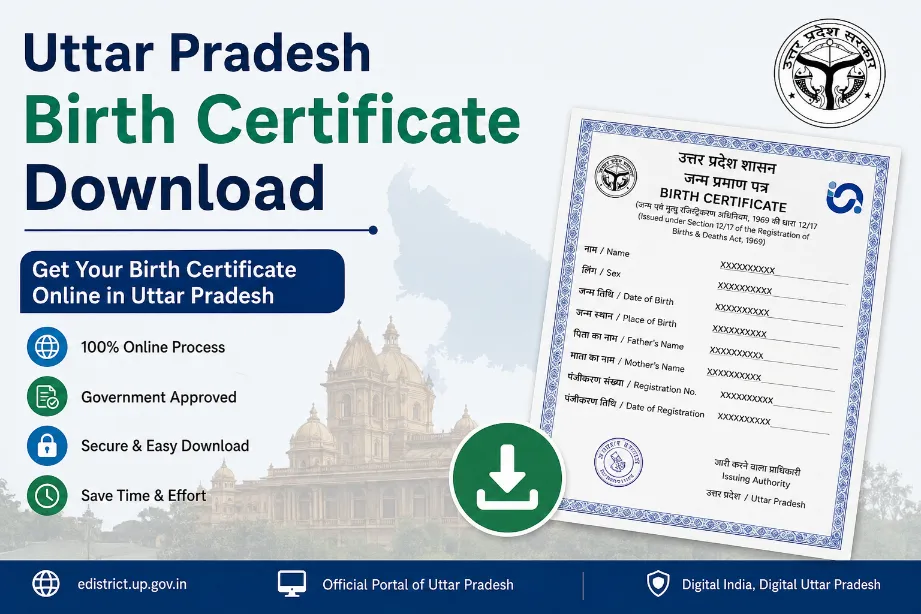
A birth certificate is an official government record issued after a birth is registered with the local Registrar of Births and Deaths.
It typically contains:
- Full name of the child
- Date of birth
- Time of birth (where recorded)
- Place of birth
- Gender
- Father’s name
- Mother’s name
- Registration number
- Registration date
- Issuing authority
A digitally signed online copy has the same legal value as the officially issued digital record when accepted by the requesting authority.
Who Can Download a Birth Certificate Online?
Online download is generally available if:
- The birth has been officially registered.
- The record exists in the digital system.
- You have the required search details, such as the registration or acknowledgment number, or other identifying information supported by the portal.
Which Portal Should You Use?
The correct portal depends on where the birth was registered.
1. Civil Registration System (CRS)
The CRS portal is used for many digitally registered birth records, including registrations covered under the national Civil Registration System. Uttar Pradesh is among the participating states.
Use CRS if:
- The birth was registered through the Civil Registration System.
- Your local authority uses the CRS platform.
2. e-Nagarsewa Portal
If the birth was registered within an urban local body such as a Nagar Nigam or Municipal Council, the e-Nagarsewa portal is commonly used for certificate services in Uttar Pradesh.
Documents or Information You May Need
Before starting the download process, keep the following ready:
- Registration Number (if available)
- Acknowledgment Number
- Child’s Full Name
- Date of Birth
- Father’s or Mother’s Name
- District
- Municipality or Registration Office
Having accurate details improves the chances of locating the correct record.
How to Download Uttar Pradesh Birth Certificate Online
Follow these general steps:
Step 1
Open the appropriate official portal for your registration.
For CRS records, visit:
Civil Registration System (CRS) Portal
For many municipal registrations, use:
Step 2
Choose the option related to:
- Birth Certificate
- Search Certificate
- Download Certificate
- Print Certificate
The wording may vary slightly depending on the portal.
Step 3
Enter the required details.
This may include:
- Registration Number
- Child’s Name
- Date of Birth
- Parent’s Name
- District
Step 4
Verify the displayed information carefully.
Ensure:
- Name spelling is correct.
- Date of birth matches your records.
- Parent details are accurate.
Step 5
Download the PDF.
If your record is available online, you should be able to download or print the digitally issued certificate.
Can You Download a Birth Certificate Without a Registration Number?
Sometimes, yes.
Depending on the portal and the registration authority, you may be able to search using combinations of:
- Child’s name
- Date of birth
- Parent’s name
- District
However, a registration or acknowledgment number generally makes the search more accurate.
What If Your Record Is Not Found?
There are several possible reasons.
The Birth Was Never Registered
If the birth was never officially registered, you’ll need to complete the registration process through the appropriate authority.
Legacy Record
Older handwritten records may not yet be digitized.
You may need to contact:
- Nagar Nigam
- Nagar Panchayat
- Municipal Council
- Gram Panchayat
- Registrar of Births and Deaths
Some legacy records require manual verification before they can be issued digitally.
Incorrect Search Details
Double-check:
- Name spelling
- Registration number
- Date of birth
- District
- Parent details
Even a small error can prevent a successful search.
Common Uses of a Birth Certificate
A birth certificate is commonly required for:
- Passport application
- Aadhaar enrollment or updates
- School admission
- College admission
- PAN card applications (where required)
- Government schemes
- Visa applications
- Driving licence documentation
- Property and inheritance matters
- Proof of age
Tips for a Smooth Download Process
- Use only official government portals.
- Keep your registration details handy.
- Save the downloaded PDF securely.
- Print a copy if required for offline submissions.
- Verify all personal details immediately after downloading.
Common Mistakes to Avoid
- Using unofficial websites that claim to provide certificates.
- Entering incorrect registration information.
- Searching in the wrong district or municipality.
- Assuming every old record is available online.
- Ignoring spelling differences in names.
The Uttar Pradesh birth certificate download process has become much simpler thanks to digital government services. Whether your birth was registered through the Civil Registration System (CRS) or an urban local body using e-Nagarsewa, many certificates can now be accessed online without visiting a government office.
Before beginning, make sure you know which authority originally registered the birth and have the required information available. If your record cannot be found online, contact the local Registrar of Births and Deaths for assistance with legacy records, corrections, or reissuance.
Can I download my Uttar Pradesh birth certificate online?
Yes. If your birth record is available in the relevant digital system, you can download it through the appropriate official government portal.
Which website should I use?
Most users will use either the Civil Registration System (CRS) portal or the Uttar Pradesh e-Nagarsewa portal, depending on where the birth was registered.
Is the downloaded PDF legally valid?
A digitally issued certificate from the competent government authority is generally accepted for official purposes. Always confirm any specific requirements with the organization requesting the document.
What should I do if I cannot find my birth certificate online?
Check your details first. If the record still cannot be found, contact the Registrar of Births and Deaths or the municipal or panchayat office where the birth was originally registered. Legacy records may not yet be digitized.
Can someone else download my birth certificate?
If they have the necessary registration details and are authorized where required, they may be able to access the digital certificate. Some services or corrections may require identity verification.

- EducationTrove com: A Guide to Its Learning Resources and Educational Content - August 8, 2026
- Uttar Pradesh GST Code - August 7, 2026
- How the NSFAS Login Portal Helps You Manage Your Funding - August 5, 2026
